
Organize your Windows desktop with rule-based overlays
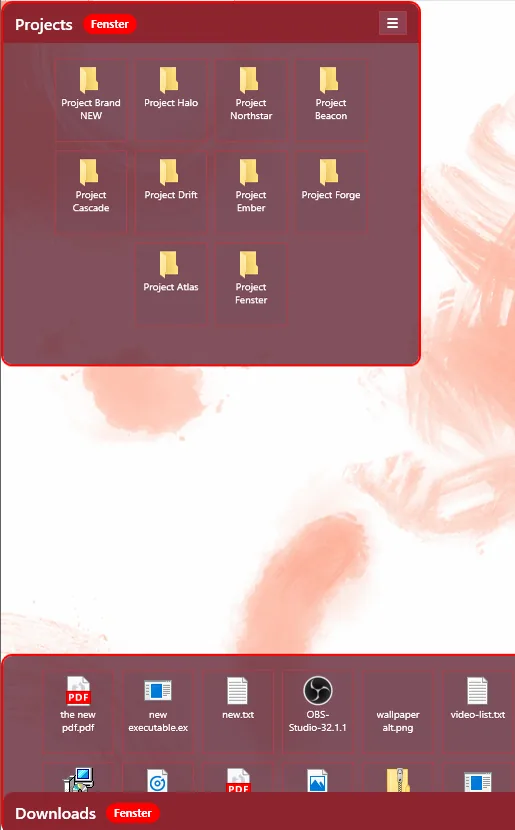
FensterDocks lets you create persistent Fenster overlays that preview, group, and organize files from your Desktop or any folder into a cleaner visual workspace.
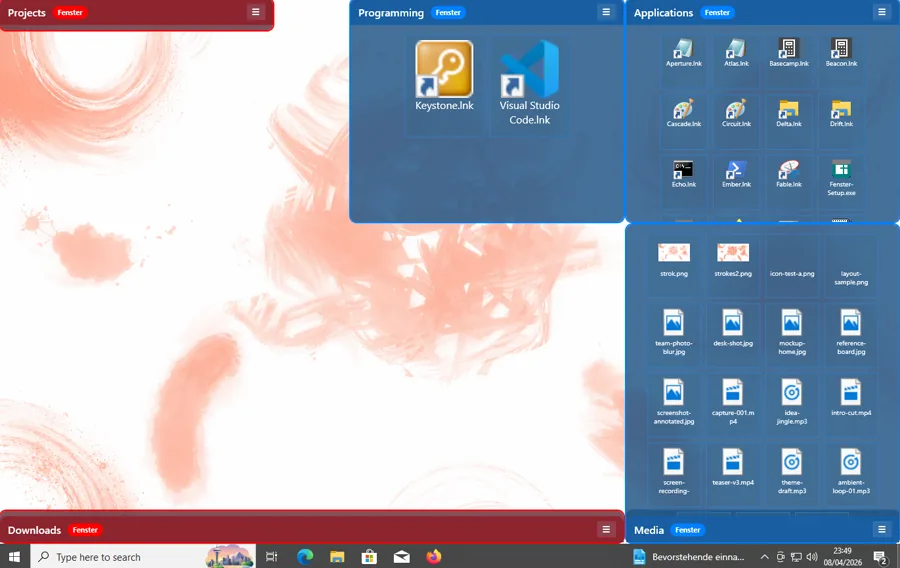
FensterDocks lets you create persistent Fenster overlays that preview, group, and organize files from your Desktop or any folder into a cleaner visual workspace.
FensterDocks is a Windows-first utility focused on practical desktop organization, rule-based grouping, and folder-aware overlays.
Fenster types
Built-in rule categories
External NuGet packages
Explorer-integrated installer flow
Yes. FensterDocks is 100% free and open source. Why share it? Because useful software should be usable, inspectable, and easy to learn from.
It gives you a desktop organization layer that stays visual, rule-driven, and practical instead of forcing everything back into hidden folders.
Use a plain Fenster for preview, grouping, rules, and manual pinning. Use a Fenster Folder when you want a real folder-backed container that can mirror contents and receive moved items.
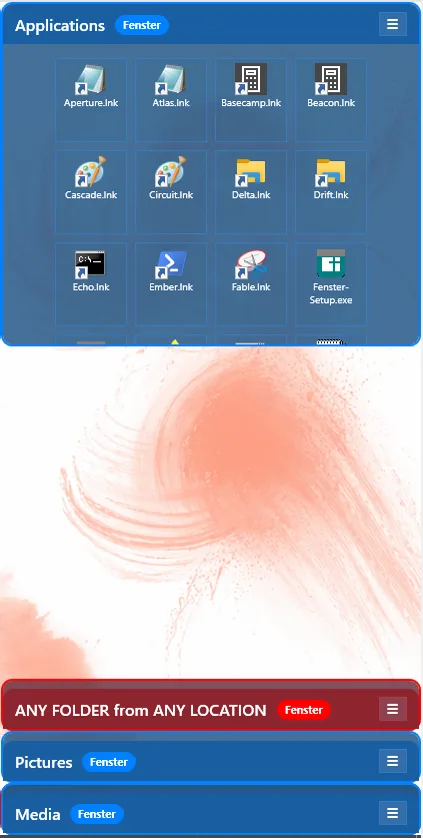
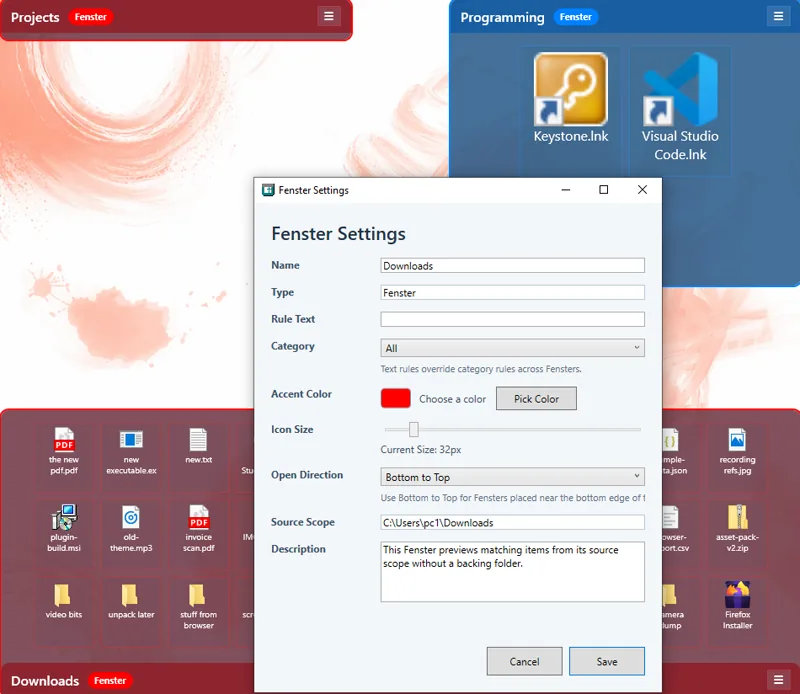

Right-click the Desktop or a folder background in Explorer to create a new Fenster in that source scope. Then filter it by text or category without losing direct access to the real files.
Use categories like All, Applications, Documents, Media, or Folders. Add name rules with “|” for OR and “&” for AND. Then manually pin or drag items where you want them. You can also hold Ctrl and scroll inside a Fenster to resize its icons instantly.
FensterDocks is already useful today, but this release is still early and direct about its current limits.